
Make sure enquiries really aren't arriving
This sounds obvious. It's also an easy check to skip.
Pick up your phone, switch off Wi-Fi, and open your website the way a customer would. Then:
- Fill in your contact form with your own details and send it. Did the email arrive? Look in the spam folder too, and in whichever inbox the form was set up to send to, which may belong to someone who no longer works for you.
- Tap your phone number. Does the dialler open with the number filled in? A number baked into a picture can't be tapped, and a number typed as plain text only works if the phone happens to recognise it. A link can use a tel: address, which is what lets a tap start a call.
- Tap the WhatsApp button, if your site has it. Does it open a chat with your business number, or with a number nobody watches?
- Ask whoever answers the phone to note how each caller found you.
If any of those fail, you may have had enquiries all along that never reached you. And if none of them is being counted, your site can only tell you about visits. Google Analytics lets you send your own events, such as a form sent, a phone number tapped or a WhatsApp chat opened, and mark them as key events. Until that's set up, "no enquiries" is a guess.
Find out who the visitors are
Visits are only worth something if they come from people who might buy. Google Search Console's Search performance report shows the Google searches your site appears in and gets clicks from, broken down by page and by country.
Read the searches and be honest about them. Say you're a plumber and your busiest page is an article on clearing a blocked drain yourself. The people reading it want to fix the drain without you. They're real visitors, and they were never going to call. The same goes for searches for jobs at your company, for a town you don't work in, or from a country you don't serve.
The fix is pages for the work you actually want, in the places you actually serve, written in the words your customers use. Name the suburbs the way locals say them. Put your prices in rand, or explain plainly how you price.
Open your site on a phone as a stranger would
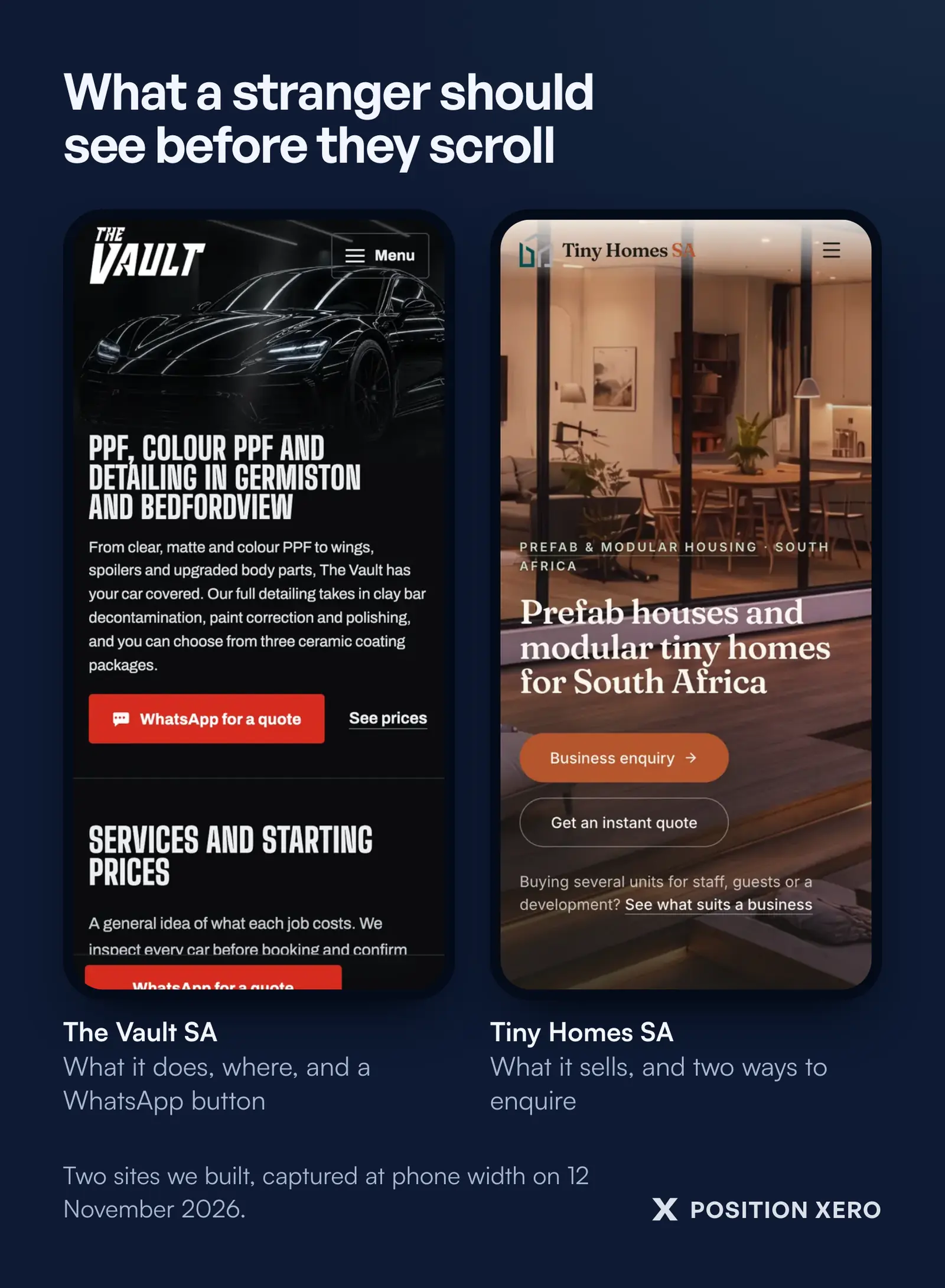
Look at the top of the page before you scroll. Can a stranger tell what you do and where you do it? Is there a way to contact you right there, or do they have to hunt through the menu? A visitor who can't see the next step can simply press back and pick the next result.
Then check the weight of the page. A visitor on a prepaid bundle pays for every megabyte your page downloads. A homepage built around a background video, a slider and a chat widget costs them money before they've read a word. PageSpeed Insights tests a page on mobile and desktop, and where Google has enough visits on record it shows how fast the page loads for real people, beside its own lab test. Run it on your homepage and on your busiest service page.
Give people a reason to trust you before they reach out
A stranger is deciding whether you're real, local and likely to answer. What helps is specific: photos of your own work, the area you cover, a business name that matches your invoices and your Google Business Profile, and a line that says what happens after they send the form.
The form itself matters too. Ask only for what you'll use. Say next to the form why you want the details and who will see them. If you'd like to send newsletters later, ask for that in its own unticked box, separate from the enquiry. Contact forms collect personal information, so POPIA applies, and the Information Regulator publishes guidance on POPIA, including on direct marketing. That's general information. For the wording on your own site, ask an attorney.
Give every page a clear next step
Each page should ask for the thing that page is about. A geyser replacement page asks for a geyser quote. A page about bathroom renovations offers a site visit. Repeat the call to action further down the page, so someone who has read to the end doesn't have to scroll back up to find it.
If your customers would rather send a WhatsApp than fill in a form, give them a WhatsApp button. A button that opens a chat with a message already filled in, saying which page they came from, means the conversation starts with context instead of "Hi".
How we look at a site like this
When we build or rework a site, we start with the enquiry path and leave the colours for later. Our web design for South African businesses is built around the checks above:
- a visible call to action inside the first screen, on a phone;
- pages kept light, because the visitor pays for the data;
- a WhatsApp button with a pre-filled message that names the campaign;
- conversion events on every form sent and every WhatsApp tap, with a lead source recorded against each enquiry, so you can see which page or ad produced which conversation;
- POPIA consent built into the form, with marketing consent in its own unticked checkbox;
- service areas named the way people say them, and prices in rand.
If you've run the checks and still can't see where people drop off, see how we build websites for South African service businesses and ask us to look at yours. We'll reply by email with what we find.
Related articles
What is a landing page?
What a landing page is, and why it matters when you pay for the visit.
Conversion tracking for lead generation
How to count the jobs that come in, not only the forms that get filled.
Hand-built website or WordPress?
Which kind of site suits a service business, and what each costs you to run.