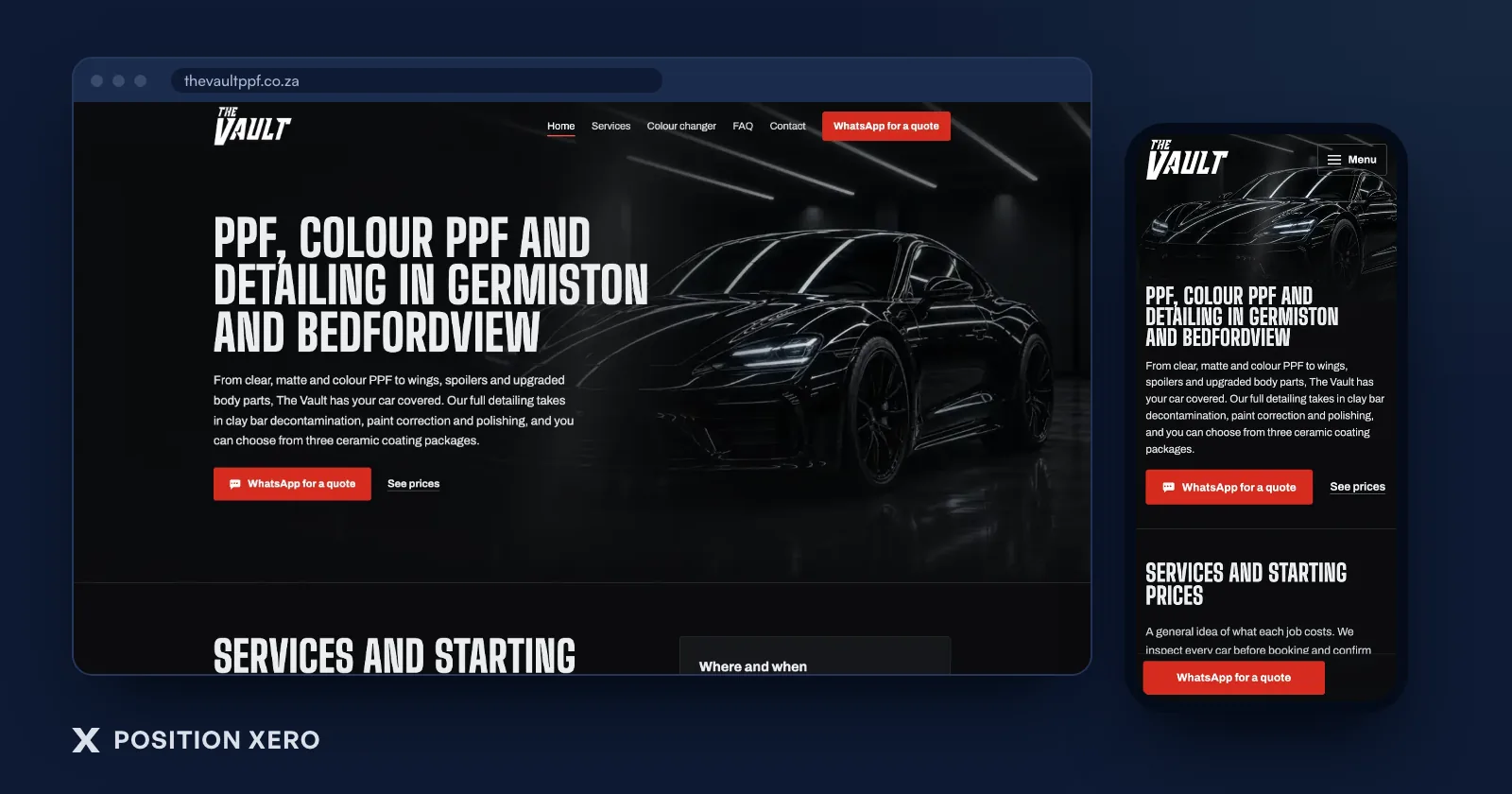
We build hand-built sites. The service-business sites and landing pages in our web design and development are written in plain HTML, CSS and a little JavaScript, with no WordPress and no plugins. So you know where we stand before you read on. WordPress is still the right answer for some businesses, and this post says which.
What "hand-built" and "WordPress" actually mean
A hand-built site, also called a custom site, is a set of pages written directly in code. There's no admin screen, no database behind the pages and no add-ons. What you see in the browser is what the developer wrote.
WordPress is a content management system. You log in, type into an editor, press publish, and the software builds the page for you. It's open source, and made so people with limited technical experience can use it straight away. Its features grow through plugins, which are extra pieces of software that extend WordPress: forms, SEO tools, caching, security, online shops.
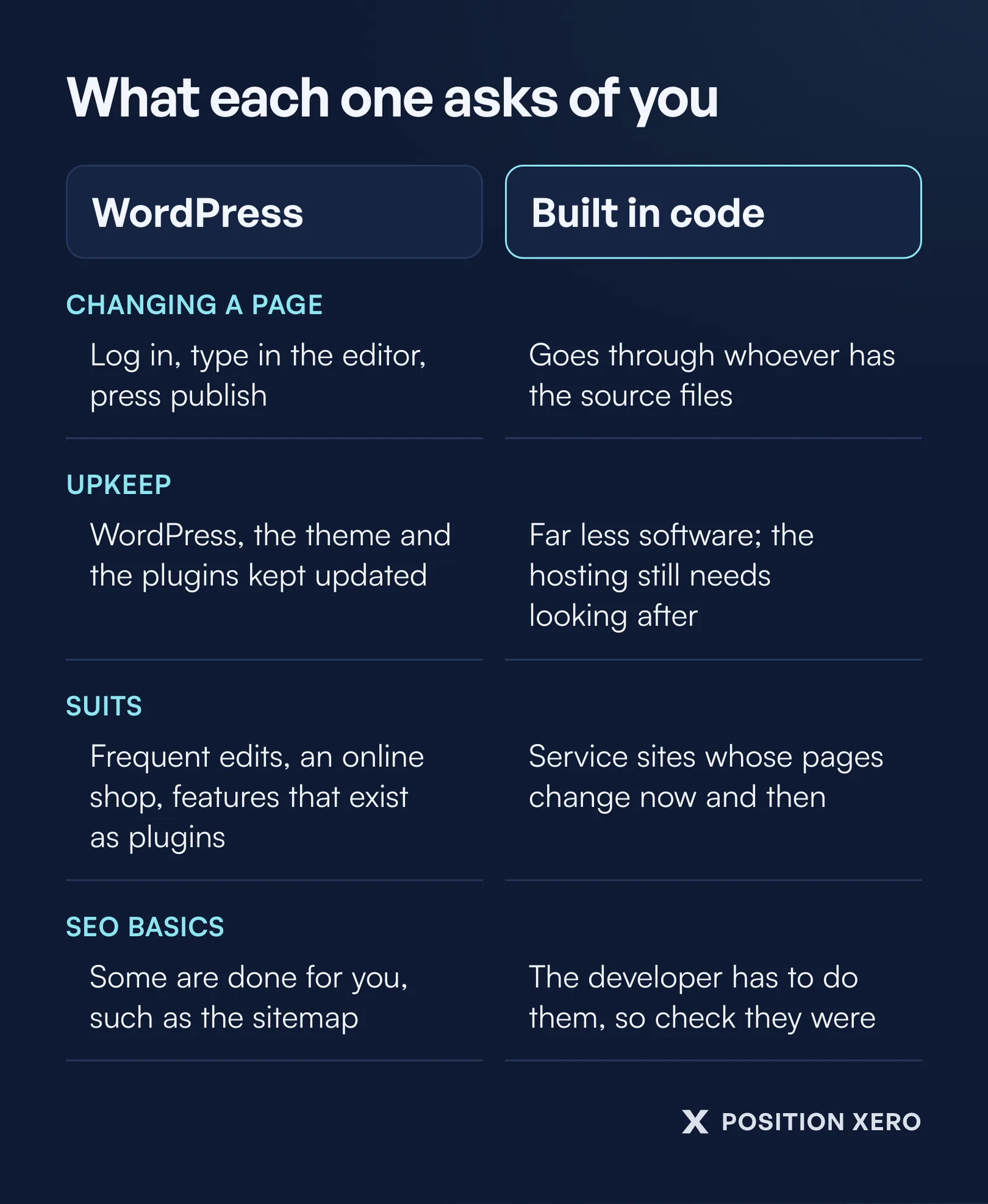
The real difference follows from that. WordPress gives you an editor and asks you to look after software. A hand-built site has far less software to look after, and no editor.
When WordPress is the better choice
Be honest with yourself about these, because they decide it.
You'll change the site often, yourself. If you post specials every week, add a project gallery after every job, or want staff to edit pages without calling anyone, an editor matters. That is what WordPress was made for.
You sell products online. A shop needs stock, a cart, a checkout and payments. WooCommerce is an open-source commerce platform for WordPress, built for exactly this. A brochure-style service site and an online store are different jobs, and we build online shops on Shopify.
You need features that already exist as plugins. Membership areas, course portals, event bookings with complex rules. Building those by hand is slow. Installing a well-kept plugin is quicker.
You already have a WordPress site that works. If it's fast, it brings in enquiries and someone keeps it updated, there's no reason to throw it away.
What WordPress asks of you after launch
This is the part to ask about before you sign.
WordPress tells its own users to always update to the latest version, and to back up before they do. Minor and security updates can apply by themselves in the background, but major releases still need someone to press the button and check nothing broke.
Plugins are the bigger job. WordPress's own plugin documentation says the plugins in its directory are thoroughly tested and considered safe to use, but that they vary in quality and are often works in progress, and a plugin that hasn't been updated since the latest WordPress release may not be compatible with it. WordPress's own security guide says older versions aren't maintained with security updates, that common attacks go after outdated plugins and software, and that you should keep plugins updated and delete the ones you don't use.
The same guide points out that your web host looks after the server, not the application you install on it. On a WordPress site, that application is yours to keep current.
WordPress is a good choice that needs maintaining. What goes wrong is a site that was set up, handed over and never touched again: the contact form can stop emailing you without anyone noticing. We explain why we build without a plugin stack on our South African web design page.
What a hand-built site asks of you
Less upkeep, and a different trade-off.
A hand-built page has no theme options to fight and no plugin stack to keep patched. The hosting still needs looking after, as with any site, because the web server's own software can have vulnerabilities. That's the host's job and yours, whatever the site is built with.
The trade-off is editing. On a hand-built site, changing text means changing code, so it goes through whoever has the source files. For a service business whose pages describe services, areas and prices that change now and then, that can be fine. For a business that wants to edit something every day, it isn't.
So ask any developer, us included, how content changes work after launch and what a change costs. It's on the checklist we suggest you put to every web designer.
What Google needs, whichever you choose
Google's SEO starter guide is about your pages: clear titles, sensible headings, useful words, links that help people and Google find what's there.
A content management system makes some of that easier. The same guide notes that some CMSes create the sitemap for you, and most turn the titles you write into the page's title tag. On a hand-built site, nobody does that automatically. The developer has to.
So on a hand-built site, check it was done. Every site we build ships with clean HTML, a proper heading order, schema markup, meta tags, canonical addresses and a sitemap, and at launch we set up Google Analytics and Search Console and submit the sitemap. Those are the pieces a CMS would otherwise handle, and the pieces our SEO work builds on.
On WordPress, check the opposite: that the SEO plugin is set up properly rather than left on defaults, and that the theme and plugins haven't made the pages heavy. Ask any builder to show you the PageSpeed result at handover.
The questions that decide it
Run through these before you choose:
- Who will change the site, and how often?
- Will you sell products online, or take enquiries for a service?
- Who keeps WordPress, the theme and the plugins updated, and is that in the quote?
- If it's hand-built, how do content changes work after launch, and what do they cost?
- Whose name is on the domain, and do you get the hosting login and the source files?
That last question matters on either platform. The answer should be you. If a builder leaves you locked out of your own site, the platform hardly matters.
If your site is there to bring in calls and form fills, the page itself matters more than what's underneath it. Our guide to what a landing page is covers what makes a page turn a visitor into an enquiry.