
Our homepage puts it this way: "Position zero is the answer above the answers: the snippet Google reads out, the source ChatGPT names." This post is about the Google half. The ChatGPT half is covered in our guide to what AI SEO is.
Where the answer box shows up
A normal result shows the page title, then a short description. A featured snippet flips that around and shows the descriptive snippet first, so the searcher reads the answer before they see whose site it came from.
Google says you can find featured snippets at the top of the results, in the "People also ask" section, and next to the Knowledge Graph information on the right of the page. It shows them when it thinks people want an answer that can be found in a short piece of a website, and it says they're helpful when you're on a phone or talking to your device.
That last point is what our homepage means by "the snippet Google reads out".
How Google picks the page
You can't nominate yourself. Google's documentation asks the question directly, "How can I mark my page as a featured snippet?", and answers "You can't." Its systems decide whether a page would make a good featured snippet for a search, and lift it into the box if so. On the searcher's side, Google says it picks them on how well they answer the question and how helpful they are.
The words in the box come from your page itself. Snippets are created automatically from page content and built to preview the part of the page that best matches that particular search, so the same page can show different snippets for different searches. Google also says it can't change snippets by hand for individual sites.
So treat any promise of position zero with suspicion. Google says the choice is its own, and we don't promise it either.
Is it still worth winning now that AI Overviews sit beside it?
Google says AI Overviews are only shown when its systems decide they add something to classic Search. Featured snippets and AI Overviews both depend on the page being able to show a snippet. To be linked from an AI Overview or AI Mode, Google says a page must be indexed and eligible to be shown with a snippet, with no additional technical requirements. A page that can't show a snippet can't be a featured snippet either. The work that makes a page a candidate for the answer box is the same groundwork that keeps it eligible for AI Overviews, which our guide to ranking in Google AI Overviews covers in detail.
The part that matters for a service business is what happens on the click. Google says clicking a featured snippet takes the user directly to the section of the page that appeared in the box, scrolling there automatically. If Google can't work out where that section is, the click lands at the top of the page instead.
So the paragraph that wins is the door your visitor walks through. If it sits in a blog post with no phone number, no next step and no mention of where you work, you've answered a stranger's question and given them nowhere to go. We judge our work by enquiries, and that's how we'd judge a featured snippet too: by whether the section it points to leads somewhere.
Writing a page Google could quote
These steps make your page a fair candidate for the box, and they make it read better for people too.
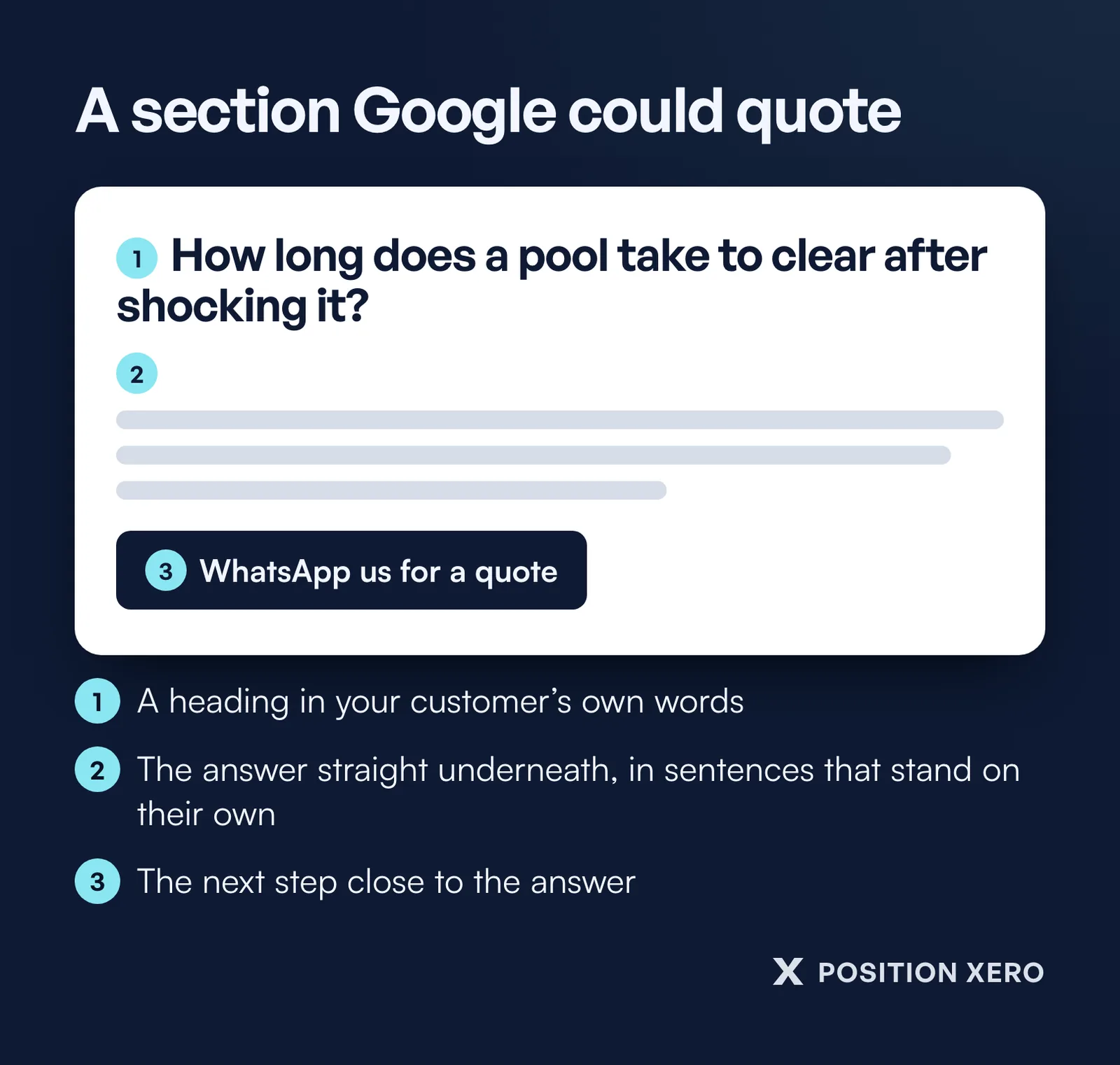
- Use your customer's words in the heading. Google's SEO starter guide asks you to think about the words a person might search for, and to break long pages into sections with headings. If customers ask "how long does a pool take to clear after shocking it", put that question, in those words, above the answer.
- Answer straight underneath, in sentences that stand on their own. The box shows a piece of your page without the rest of it, so the answer can't lean on "as mentioned above". Say the thing, then explain it.
- Use a numbered list for steps and a table for comparisons.
- Keep the answer visible. For its "Read more" links, which jump to a section of a page, Google asks that the content be immediately visible rather than hidden behind an expandable section or tabs. An answer tucked inside a closed accordion is harder for a visitor to find when they land on it.
- Put the next step near the answer: a line telling the reader what to do next and how to reach you, close to the section Google might send them to.
Check you haven't switched it off by accident
Some page settings block the box. The nosnippet rule stops Google showing any text snippet for the page, and Google says it applies to AI Overviews and AI Mode too, stopping the content being used as a direct input there. Text inside a data-nosnippet attribute won't appear in featured snippets, and a low max-snippet setting makes a featured snippet less likely.
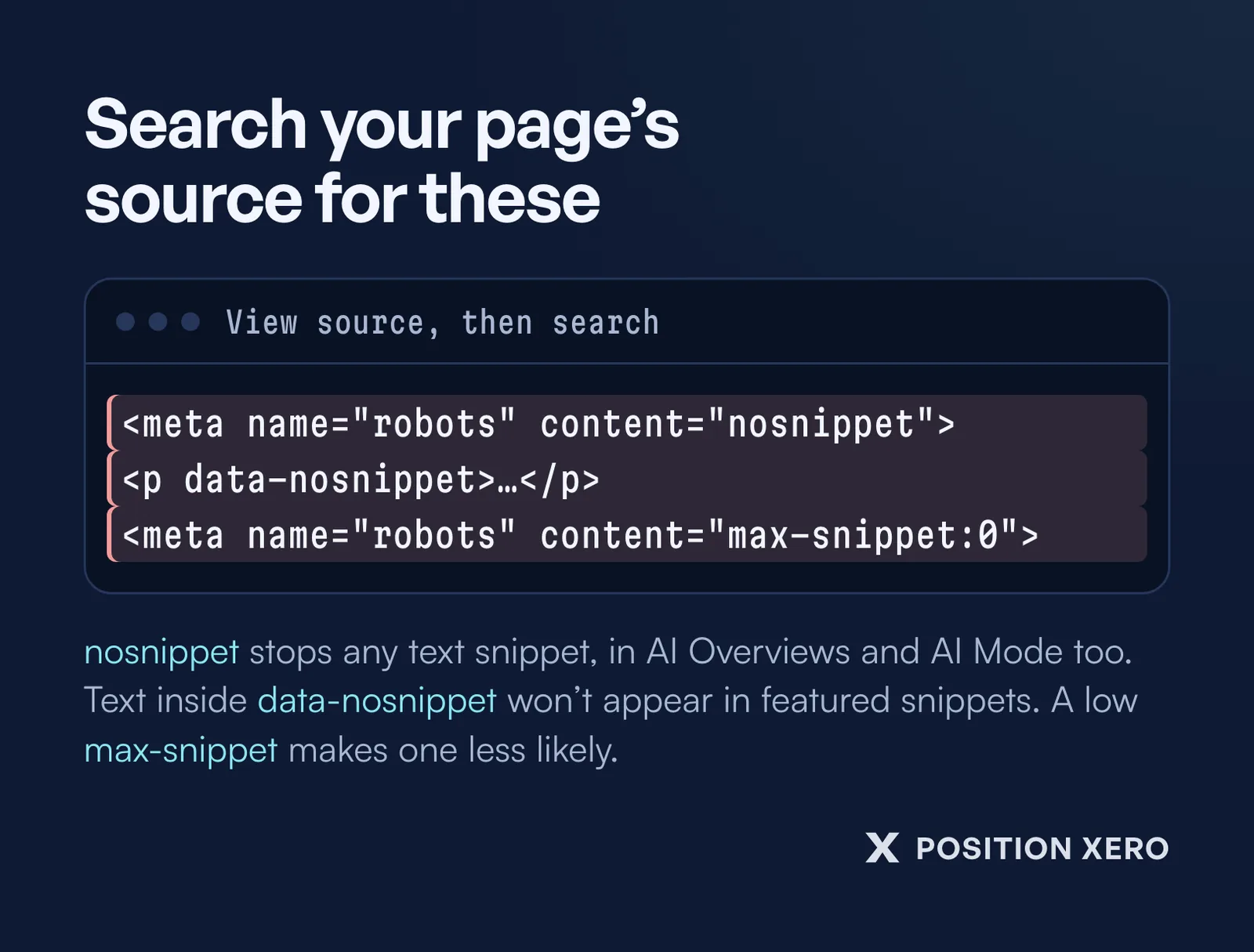
Check even if you didn't add them yourself: open your page's source and search for "nosnippet" and "max-snippet". For the version Google actually saw, the URL Inspection tool in Search Console shows the HTML that Googlebot received while crawling the page. If you haven't set up Search Console yet, our guide to getting your business on Google walks through it.
How this fits into our SEO work
Writing direct answers to the questions on a page, and formatting lists, tables and definitions in clean HTML, are part of the on-site SEO in our SEO packages. A featured snippet only counts for us if the section it points to brings in calls or forms.
See what each SEO package includes.
Related articles
What is AI SEO?
How AI answers pick the pages they cite, and what that means for your site.
How to rank in Google AI Overviews
What Google asks of a page before it can be linked from an AI Overview.
How to get your business on Google
The setup steps, from a Business Profile to Search Console and a sitemap.